7 Green Screen Alternatives for Better Video
Compare green screen alternatives for polished video shoots, from LED walls to real sets, and choose the right format for speed, realism, and control.
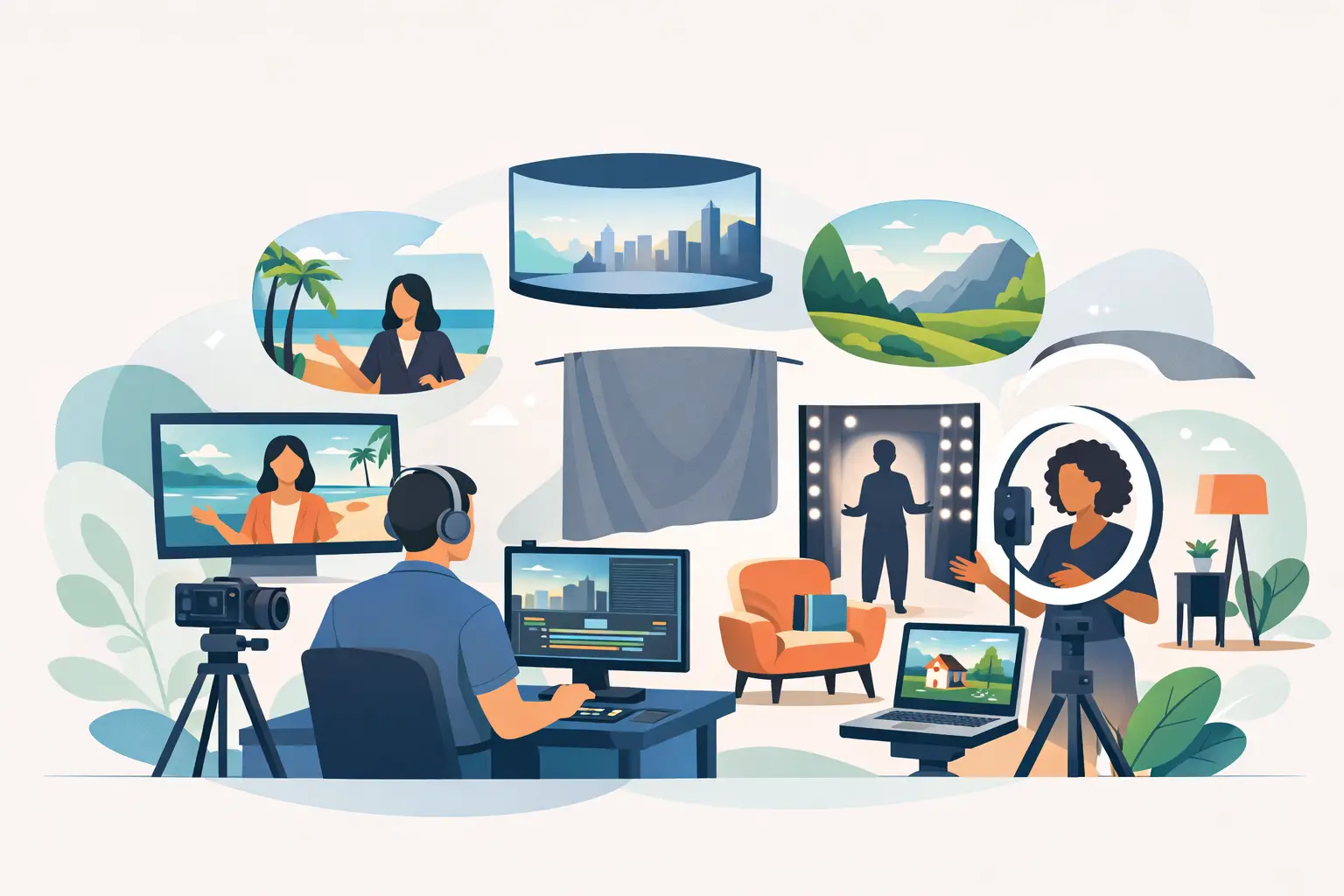
A green screen can look inexpensive long before the final edit. Hair edges shimmer, reflected green appears on skin and products, and the talent has to imagine a setting that does not exist. For founders, agencies, speakers, and production crews working on tight schedules, green screen alternatives often create a more believable result with less post-production risk.
The right choice depends on the camera move, the number of deliverables, the subject, and how quickly the content needs to be published. A controlled interview may need nothing more than a shaped background and strong lighting. A product launch or cinematic campaign may justify an LED volume or a built physical set. The goal is not to replace green screen in every situation. It is to use the format that gives the production team the cleanest path from shoot to final cut.
Why productions move beyond green screen
Green screen works best when the final background must be changed repeatedly, the visual world is too expensive to build, or the shoot involves controlled framing. It remains a practical VFX tool. The trade-off is that it shifts a significant part of the production burden into post.
That burden grows quickly with motion. Fast hand gestures, flowing fabric, transparent objects, glass, glossy packaging, and fine hair all make keying more demanding. The same is true when the camera pans, tracks, or changes focus. A poorly prepared green screen does not save time. It creates rotoscoping, color correction, cleanup, and approval delays.
For commercial content, speed is usually the deciding factor. If a founder needs 25 short videos from one session, it is more efficient to capture a polished environment in camera than to build a separate composite for every Reel. Real lighting, real reflections, and visible depth give editors a stronger source file from the start.
1. LED walls and virtual production
An LED wall is the most direct green screen replacement when the background must be visually specific, flexible, and camera-ready. It displays a location, branded graphic system, motion design, or cinematic scene behind the talent during the shoot. Unlike chroma key, the subject sees the environment, and the camera records its light, color, and reflections in real time.
This format is especially effective for keynote videos, product explainers, podcasts, automotive content, fashion shoots, and social campaigns that need multiple visual looks in one day. A speaker can move from a data-led presentation to a cityscape, abstract brand world, or editorial backdrop without changing locations.
The biggest advantage is realism under pressure. LED content can light the face, appear naturally in reflective surfaces, and give the crew immediate feedback through the monitor. It also reduces uncertainty for clients who want to approve the look on set rather than imagining it during a post-production review.
There are limits. LED walls require thoughtful camera exposure, screen-content preparation, and art direction. Very wide shots, extreme shallow depth of field, or poorly matched footage can reveal the screen as a screen. For best results, treat the LED wall as part of the lighting and set design, not as a digital wallpaper added at the last minute.
2. Built sets and practical environments
A physical set gives a frame texture, depth, and imperfections that viewers recognize instantly. It may be a desk setup, a living-room corner, a branded podcast stage, a retail-style display, or a minimal architectural environment. Practical sets are a strong choice when talent will touch objects, move through the scene, or demonstrate a product.
They also make content easier for non-actors. A founder speaking beside a real desk or display has physical reference points. That tends to produce more natural body language than asking someone to perform against a blank green surface.
The cost is flexibility. Building, dressing, and striking a set takes time, and major changes require more labor than switching a digital background. Still, a modular set can be one of the most efficient assets for recurring social content. Change the furniture, practical lighting, props, and camera angle, and one studio corner can generate several distinct visual formats.
3. Textured studio backdrops
A textured backdrop is often the smartest answer for talking-head content. Think fabric, painted flats, paper rolls, wood panels, curtains, concrete-style surfaces, or carefully lit neutral walls. These options create separation without competing with the message.
This is not the low-effort option. Background lighting matters. A flat gray wall can look premium when it has controlled falloff, a practical lamp, and enough distance between the subject and background. The same wall can look like an office storage room when the lighting is unplanned.
Textured backdrops work well for executive communications, training videos, testimonials, headshots, and educational Reels. They are fast to shoot, easy to color grade, and unlikely to date quickly. If the content relies on credibility rather than spectacle, this approach often outperforms a busy virtual scene.
4. Projection backgrounds
Projection places an image or video onto a wall, fabric, or scenic surface behind the subject. It can create a softer, more organic look than an LED screen and works well for music videos, editorial portraits, experimental fashion, and stylized campaign content.
It is also useful when the projected image should interact with the person or set. Shadows, movement, and projected graphics can become part of the visual concept rather than a background to be hidden in post.
However, projection is less bright than an LED wall. Ambient light must be controlled, and camera settings need to balance the projected image with the subject's exposure. It is not the first option for a high-volume corporate recording day, but it can produce distinctive results when the creative direction calls for texture and mood.
5. Real locations
A real office, hotel, restaurant, warehouse, home, or outdoor setting gives content immediate context. A hospitality brand belongs in a hospitality environment. A property expert may gain credibility by filming on-site. A chef explaining a menu should usually be in a kitchen, not placed into one later.
Location shooting can save set-build costs, but it introduces other variables: permits, access times, noise, uncontrolled daylight, power, parking, and the availability of backup space. Every location needs a production plan, especially when the objective is to capture many short videos in a single session.
Choose a real location when the place itself supports the story. Do not choose it only because it looks impressive in a single photo. Ask whether it can support clean sound, repeatable lighting, multiple angles, and a crew workflow that keeps the day moving.
6. Window-light and architectural interiors
Large windows, clean architecture, and natural daylight can create a premium editorial look with minimal scenic production. This approach suits personal brands, leadership interviews, lifestyle products, and thought-leadership videos where the goal is confident and approachable rather than heavily branded.
Natural light is not automatically easy. It changes by the hour, clouds alter exposure, and direct sunlight can create harsh contrast. A prepared crew uses diffusion, negative fill, supplemental lighting, and camera positioning to keep the result consistent.
This alternative is strongest for shorter shooting windows or when the changing daylight is part of the look. For a full-day content batch that needs identical framing across dozens of clips, a controlled studio is usually more predictable.
7. Clean minimal backgrounds with graphics added later
Not every green screen replacement has to be a physical spectacle. A clean black, white, gray, or brand-color background can give editors room to add titles, charts, callouts, product screens, and cutaway footage without keying the subject.
The distinction matters. The background remains real and cleanly lit, while only supporting graphic elements are added in post. This avoids the hardest part of chroma keying: separating the person from a fully replaced environment.
For webinars, speaker packages, investor messaging, tutorials, and B2B explainers, this may be the most commercially sensible format. It looks intentional, keeps attention on the speaker, and allows one recording to be adapted for several platforms or markets.
How to choose between green screen alternatives
Start with the final use, not the visual trend. If the content needs to feel like a live presentation, an LED screen with presentation visuals may be the right format. If it needs trust and volume, a polished practical studio setup can be faster. If the location carries the story, shoot on location and budget for its constraints.
Then consider the post-production deadline. A complex chroma-key campaign can be worthwhile when the creative concept demands it. It is a poor fit when the priority is ready-to-publish short-form content within a day. At PROS.CRTV, the combination of a large LED setup, prepared lighting, sound, and same-day editing workflow is designed for that production reality.
Finally, plan the background and the wardrobe together. Avoid fine patterns that create moiré on LED displays, highly reflective clothing that catches unwanted screen color, and outfits too close to the background tone. A five-minute wardrobe check can prevent an hour of editing fixes.
The best background is the one that supports the message, works with the talent, and lets the crew deliver on time. Choose a format your audience will believe before they have time to think about how it was made.
Ready to shoot this?
Bring the brief to the stage — LED wall, mirror floor and a crew that turns ideas like this into finished content — same day on selected packages.
Book the studio